




Description
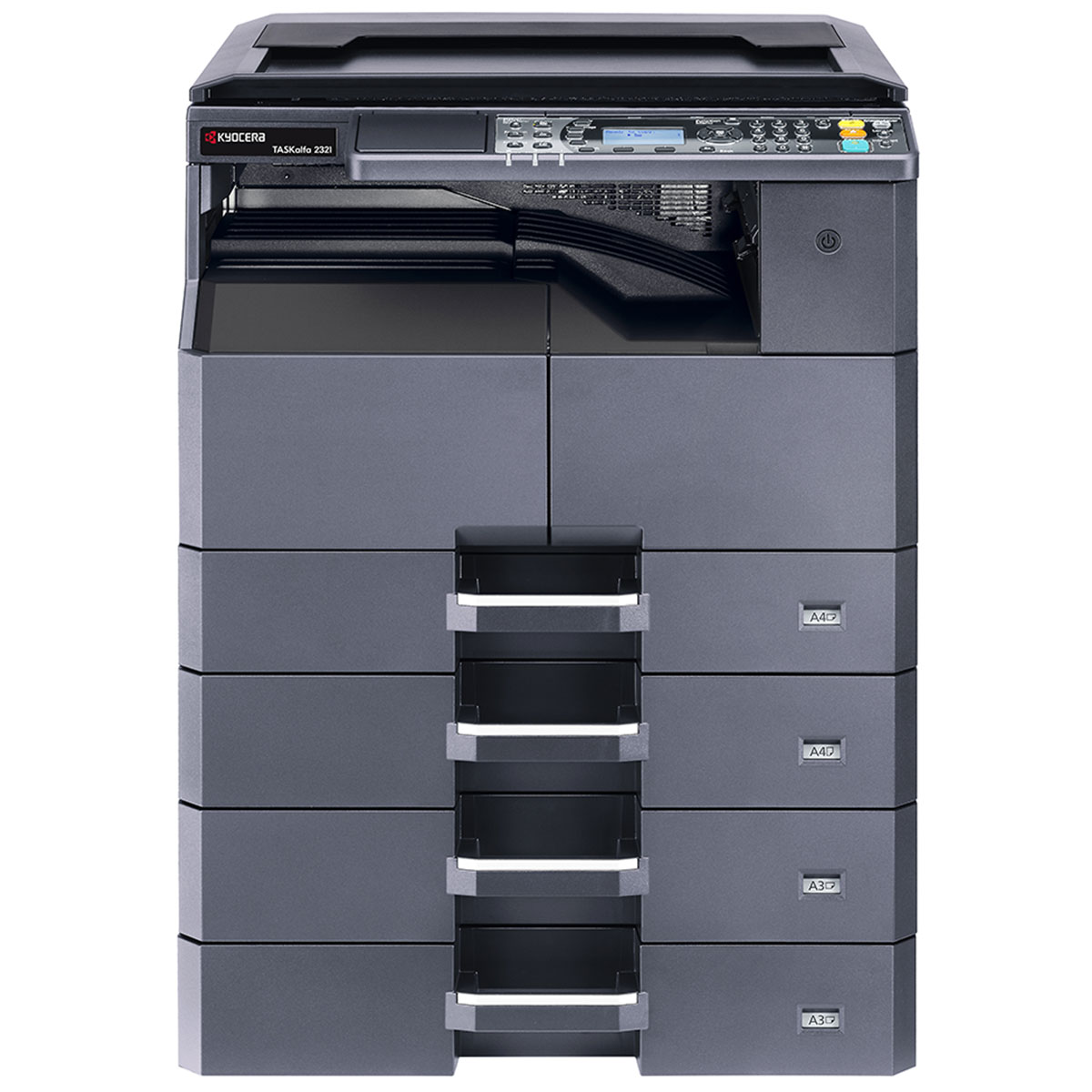
Kyocera TASKalfa 2321 A3 Monochrome Multifunction Printer
Reliable A3 Office Workhorse with Copy, Print & Scan Functionality
The Kyocera TASKalfa 2321 is a high-efficiency A3 monochrome multifunction printer (MFP) built for businesses that demand dependable document performance. With its robust construction, user-friendly interface, and flexible paper handling, it is ideal for small to mid-sized offices needing affordable A3 printing and copying.
Key Features
🖨️ Multifunction Capabilities
-
Print, Copy, Scan — All-in-one functionality to handle daily document tasks
-
A3 paper support enables wide-format printing and copying
⚙️ Efficient Performance
-
Print/Copy Speed: Up to 23 pages per minute (A4)
-
First Copy Out Time: Approx. 5.7 seconds
-
Warm-up Time: Approx. 18.4 seconds from power-on
📄 Flexible Paper Handling
-
Standard input capacity of 400 sheets (100-sheet MPT + 250-sheet tray)
-
Expandable up to 1,300 sheets with optional trays
-
Supports paper sizes from A5R to A3
🧠 Simple & Intuitive Operation
-
5-line LCD control panel for easy navigation
-
Supports job queuing and ID card copy features
🧾 Low Running Costs
-
Long-life components reduce maintenance and downtime
-
Compatible with TK-4145 toner (up to 12,000 pages yield)
Technical Specifications
| Specification | Details |
|---|---|
| Functions | Print, Copy, Scan |
| Print Technology | Laser Monochrome |
| Print Speed | Up to 23 ppm (A4), 11 ppm (A3) |
| Print Resolution | 600 x 600 dpi |
| Warm-up Time | Approx. 18.4 seconds |
| Memory | 256 MB |
| Paper Input (Std.) | 250-sheet tray + 100-sheet MPT |
| Paper Capacity (Max) | Up to 1,300 sheets (with options) |
| Paper Sizes | A5R to A3 |
| Duplex Unit | Optional |
| Interface | USB 2.0, Optional Network |
| Monthly Duty Cycle | Up to 15,000 pages |
| Dimensions (W x D x H) | 565 x 527 x 485 mm |
| Weight | Approx. 26 kg |
Recommended For
✔ Small-to-medium businesses
✔ Administrative departments
✔ Schools and institutions needing A3 document handling
✔ Users looking for reliability and low-cost printing
Optional Accessories
-
Network Interface Kit for shared printing over LAN
-
Duplex Unit for two-sided printing
-
Additional Paper Trays for increased capacity






Reviews
There are no reviews yet.